A good home movie night comes down to four things: a film picked without a long argument, a screen everyone can see, sound people can hear without straining, and snacks ready before the opening credits. Get those right and the living room feels like a night out, without the ticket prices or the travel.
Table Of Content
None of it needs special equipment. A TV, a laptop or a borrowed projector all work, as long as you set them up with a little thought.
Pick the Film Before Anyone Sits Down
Choosing ahead of time is the simplest way to avoid half an hour of scrolling through menus.
Ask each person to suggest one film earlier in the day, then vote or take turns picking from week to week. A rota works well in families, because everyone knows their week is coming. For mixed groups, aim for something nobody has strongly refused rather than the film one person loves most.
Check the age rating if children are watching. In the UK, the BBFC rates films, and its guidance is a handy guide anywhere. A U film should be suitable for all ages and is unlikely to upset a four-year-old. The BBFC says a PG film should not generally unsettle a child of around eight, though some scenes may bother more sensitive children. Your own country’s rating system will have similar levels, and many streaming apps show the rating on each title.
Keep the running time in mind too. On a school night, a film of around 90 minutes is far easier than a three-hour epic.
Set Up the Screen and Seating
Everyone should be able to see the whole screen without twisting round, and the room should be dark enough for a clear picture.
For seating distance, home cinema guidelines are a useful starting point. The film industry group SMPTE recommends that the screen fills at least 30 degrees of your view, while THX names 40 degrees as ideal and 36 degrees as its minimum recommendation. For a 100-inch projector screen, the 36 and 30 degree figures work out to sitting about 3.4 to 4.1 metres (roughly 11 to 13.5 feet) away. Closer to a TV feels more immersive, further away feels more relaxed, so adjust to taste.
Turn off overhead lights and draw the curtains, but leave a small lamp on behind the seats so nobody trips. Reflections on a TV screen are distracting, so check from the sofa for any bright windows or lamps showing in the glass.
On many newer TVs, a Movie or Filmmaker Mode picture setting usually gives a more natural image than the brighter Vivid setting.
Using a projector
Projectors need a darker room than TVs. A plain, light-coloured wall works if you don’t have a screen. Set it up and focus it in daylight hours, so you aren’t fiddling with cables while everyone waits.
Get the Sound Right
Clear dialogue matters more than loud explosions, and most TV speakers struggle with both.
A soundbar or a pair of external speakers makes the biggest difference for the money. If you don’t have one, some TVs have a clear voice or dialogue setting in the sound menu. Subtitles are worth turning on too, especially for films with accents, whispering or a busy soundtrack, and they help anyone hard of hearing.
Test the volume before the film starts, with the snacks and chatter in the room, not when the house is silent.
Sort the Snacks and Comfort
Have food and drinks ready before you press play, so nobody misses the start.
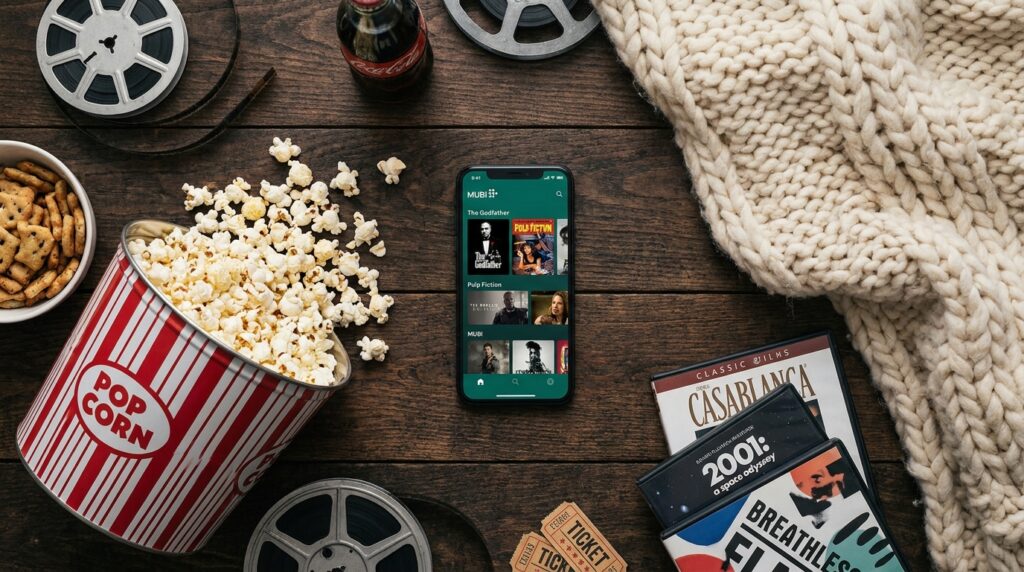
Popcorn is the classic, and making it at home is cheap and easy. Matching the snacks to the film adds fun, especially for children. This table has a few ideas.
| Kind of film | Snack idea | Extra touch |
|---|---|---|
| Animated family film | Popcorn with a choice of toppings | Printed “tickets” for the children |
| Superhero or action | Nachos and dips | Cushions on the floor for the front row |
| Fantasy adventure | Homemade pizza | Dim the lights as for a cinema trailer |
| Classic or black-and-white | Hot chocolate or tea with biscuits | A short intro about when it was made |
| Holiday film | Seasonal treats | Blankets and string lights |
Blankets, floor cushions and a few extra pillows turn the sofa into somewhere people want to stay for two hours. For young children, plan a short break halfway through for the toilet and a refill.
Plan for the Wi-Fi Dropping
Streaming relies on your internet connection, so have a backup in case it slows down at the worst moment.
Start the film for a minute earlier in the evening to check it plays smoothly. Many streaming apps let you download titles on a phone or tablet, which you can then play without a connection. If several people at home are streaming or gaming at the same time, ask them to pause for the evening.
Agree on one simple rule before the film starts: phones face down and on silent. A single bright screen in a dark room pulls everyone’s attention away from the film.
Make Movie Night a Regular Habit
A fixed night, such as the first Friday of the month, gives everyone something to look forward to and makes planning easy.
Themes keep it fresh. You might work through a film series in order, pick a different country’s cinema each month, or let each person choose a film from the year they were born. Older children enjoy keeping a simple list with their own star ratings, which also helps settle future votes.
When the weather is warm, the same setup moves outside. A projector, a white sheet pegged to a fence and a few cushions on the grass make an outdoor screening, as long as you keep cables away from damp ground and finish before it gets too late for the neighbours.
At the end of the night, let the next person on the rota choose the following film. That way the next movie night is already half planned.