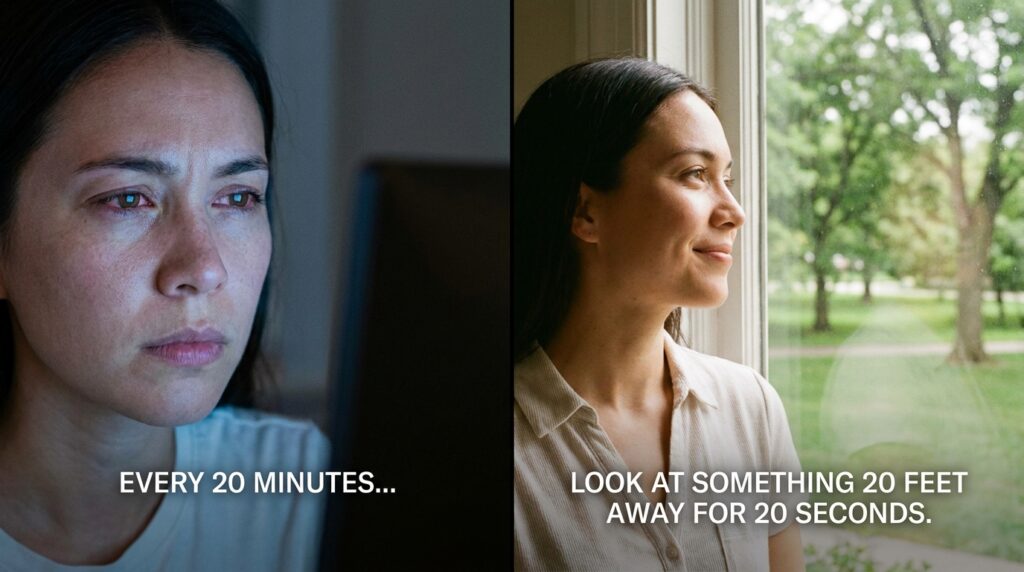
The 20-20-20 rule is a simple screen break: every 20 minutes, look at something at least 20 feet away for at least 20 seconds. Both the American Academy of Ophthalmology (AAO) and the American Optometric Association (AOA) recommend it to ease tired eyes from long hours at a computer, tablet or phone. This guide explains how to use it and what else you can change at your desk.
Table Of Content
What the 20-20-20 Rule Is
The rule gives your eyes a short, regular rest from close-up screen work. The AAO puts it this way: every 20 minutes, shift your eyes to look at an object at least 20 feet away for at least 20 seconds.
Twenty feet is about 6 metres. That could be the far end of an office, a building across the street or a tree outside the window. The point is to change your focus from something close to something far away for a short time.
Why Screens Tire Your Eyes
Screens tire your eyes partly because you blink less when you look at them. The AAO says people normally blink about 15 times a minute, but only about 5 to 7 times a minute while using computers and other digital screens. Blinking keeps the surface of the eye moist, so blinking less can leave your eyes feeling dry.
The AOA lists the most common complaints from long screen use as eyestrain, headaches, blurred vision, dry eyes, and neck and shoulder pain. Many people notice these at the end of a long working day, and they tend to ease after a rest from the screen.
Blue light from screens is a common worry, but the AAO states that there is no scientific evidence that blue light from digital devices causes damage to the eye. The AAO does not recommend special blue light glasses for computer use.
How to Make the Rule a Habit
The easiest way to keep the 20-20-20 rule is to use a reminder, because 20 minutes passes quickly when you are busy. Set a repeating timer on your phone or computer, or use a break reminder app.
- Pick a fixed spot to look at, such as a window or the far wall, so you do not need to think about it.
- Pair the break with a few slow, full blinks.
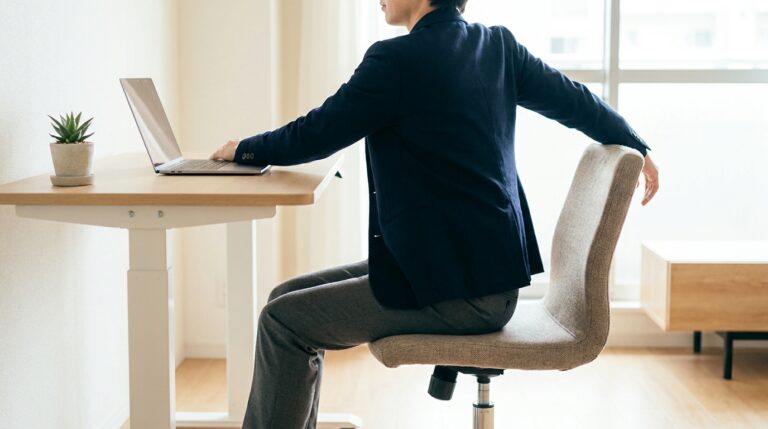
- Use the moment to sit back and drop your shoulders.
- Tie a break to natural pauses, such as sending an email or finishing a page.
Choose one far-away object you can see from your desk and make it your 20-second spot. When the reminder goes off, look straight at it and blink a few times.
Longer breaks matter too
As well as the short 20-second breaks, the AOA suggests resting your eyes for 15 minutes after two hours of continuous computer use. A walk to get a drink, a short chat away from the desk or a lunch break outside all work.
The same habit applies to phones, tablets and e-readers. Long sessions of scrolling or reading on a small screen are close-up work too, so look up and across the room every so often, especially in the evening when you may be tired already.
Set Up Your Screen and Lighting
How your screen is placed and lit makes a difference to how your eyes feel. The AAO and AOA give similar advice.
| Setting | What to aim for | Source |
|---|---|---|
| Distance | About 25 inches (around 63 cm), roughly arm’s length | AAO |
| Height | Top of the screen so your eyes look slightly downward, about 15 to 20 degrees below eye level | AAO, AOA |
| Glare | Place the screen away from bright windows and overhead lights; a matte screen filter can help | AAO, AOA |
| Brightness | Match the screen brightness to the light in the room | AAO |
| Contrast | Increase the screen contrast if text looks faint | AAO |
Larger text can also help, especially on phones and laptops. Most devices let you change text size in the display or accessibility settings. If you read from papers while typing, a document holder next to the screen saves your eyes from changing focus so often.
Laptops are harder to set up well, because the screen is fixed to the keyboard. If you use a laptop for many hours a day, a stand that raises the screen, with a separate keyboard and mouse, lets you place the screen at the right height and distance.
Remember to Blink
Making a conscious effort to blink more often is one of the simplest changes you can make. The AAO recommends it because blinking is how the eye gets the moisture it needs on its surface.
Try a few slow, full blinks at each 20-20-20 break. Dry, warm rooms can make dryness worse, so keeping air vents from blowing straight at your face may help.
When to See an Eye Doctor
See an eye doctor if your eyes are often red, blurry or watery, become sensitive to light or start to hurt, which is the AAO’s advice. Seek urgent care for sudden changes in vision, eye pain or flashes of light.
Regular eye tests matter even if your eyes feel fine. The AOA recommends a yearly comprehensive eye exam for people who spend a lot of time at a screen, because even small uncorrected vision problems can make digital eyestrain worse. If you wear glasses or contact lenses, tell your optician how many hours you spend at a screen so they can check your prescription suits that distance. If you notice you squint or lean towards the screen to read, mention that too.